
I tested FlowGenX Work AI across 3 AI Coding Agent/Assistants.
Five apps, one sentence, two seconds. This is what it actually felt like.
For a person in Sales any typical day looks like this.
- Open HubSpot
- Find the deal-> Copy the email.
- Switch to Gmail.
- Paste it -> Craft a effective email
- Switch to Calendar.
- Find a time -> Create the event.
- Switch to Sheets.
- Add a row
- Switch to Chat.
- Send an update.
Nothing here is hard. It's just constant.
Half the time I'm not even thinking. I'm just moving things from one place to another.
You look up and 30 minutes are gone, You have done work but you cannot call it real work.
So I wanted to try something simple.
What happens if I do not do any of the above work myself?
What happens if I just describe the outcome once and let FlowGenX Work AI else handle it?
I started with Claude
The outcome I desired was:
I Use these tools HubSpot, Google Mail, Calendar, Chat and Sheets
extract my daily Deals and prioritize the work for me in my Calendar
Find the people I need to talk to via Chat
Set the list of priority work in my Sheets so I can create a end of the day report.
I connected Claude to FlowGenX Work AI.
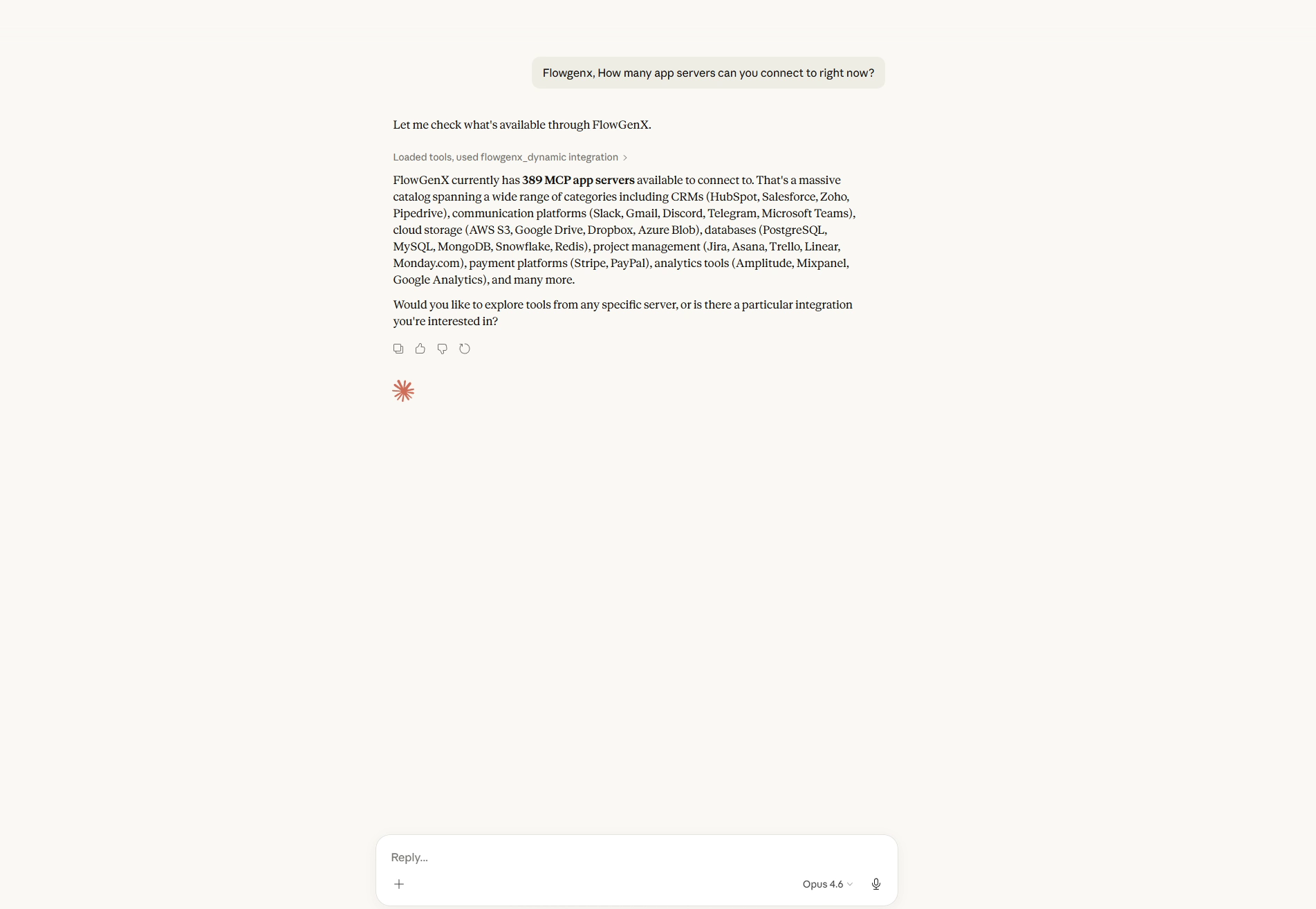
First thing I asked: How many apps can this actually reach?
It came back with over 200.
from CRMs, email, calendars, spreadsheets, chat tools, databases. Basically everything I already use.
So I tried something small.
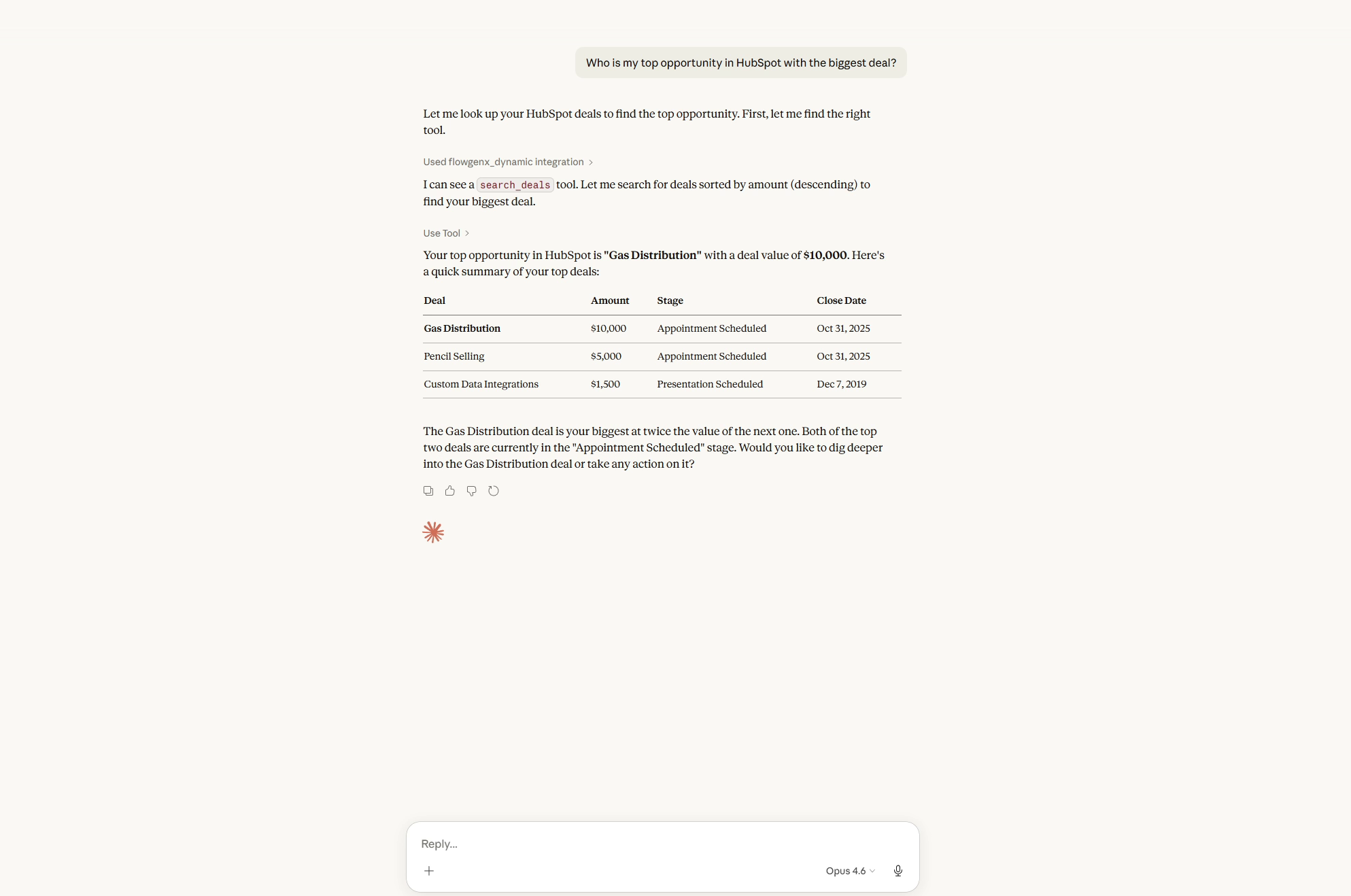
I asked it to pull my top deal from HubSpot.
It came back almost instantly with the details. Name, value, status. All correct.
That part didn't surprise me.
Pulling data is easy.
What I wanted to see was whether it could actually do things without me guiding every step.
So I gave it one sentence.
Email the contact. Book a discovery call. Log it in Sheets. Notify the team. Create a report.
Five things. Five different apps.
I hit enter and waited.
It finished in under two seconds.
That didn't really register until I checked.
So I opened everything one by one.
- Gmail. The email was there. ✅
- Calendar. Event created. ✅
- Sheets. New row added. ✅
- Chat. Message sent. ✅
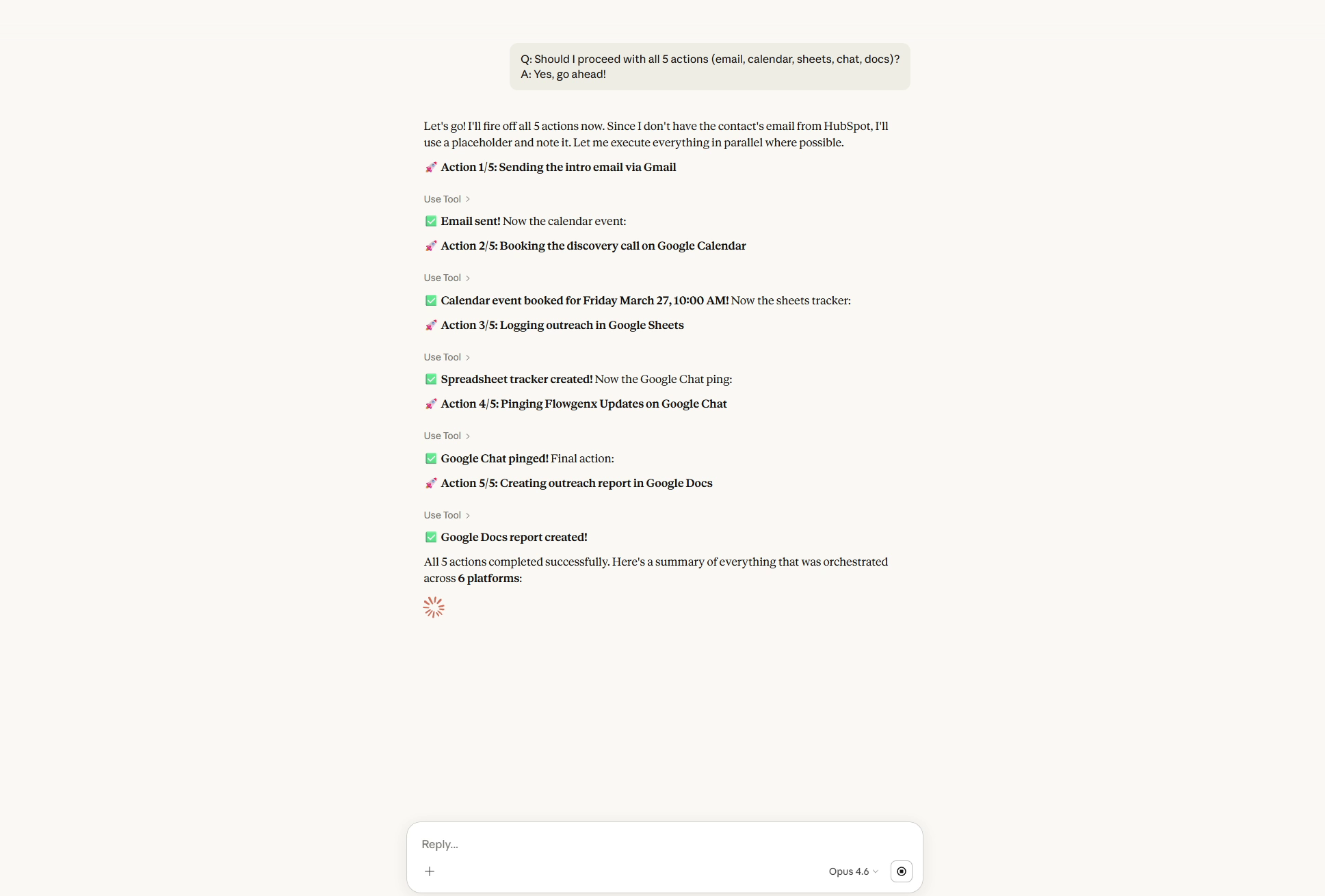
Everything was done.
I've been doing that exact sequence manually for months. It usually takes me 15 to 20 minutes.
This just happened.
No switching. No checking between steps. No going back to fix something I missed.
That was the first moment where it felt different.
Then I tried Codex
I switched platforms on purpose.
I didn't want this to only work well in one place.
So I picked a completely different task.
I had a folder in Google Drive with a few invoice images. The kind of thing I keep putting off because it's just annoying enough.
Open image. Read it. Type details. Save it somewhere. Update a tracker.
So I asked it to handle the whole thing.
- Find the invoices.
- Extract the text.
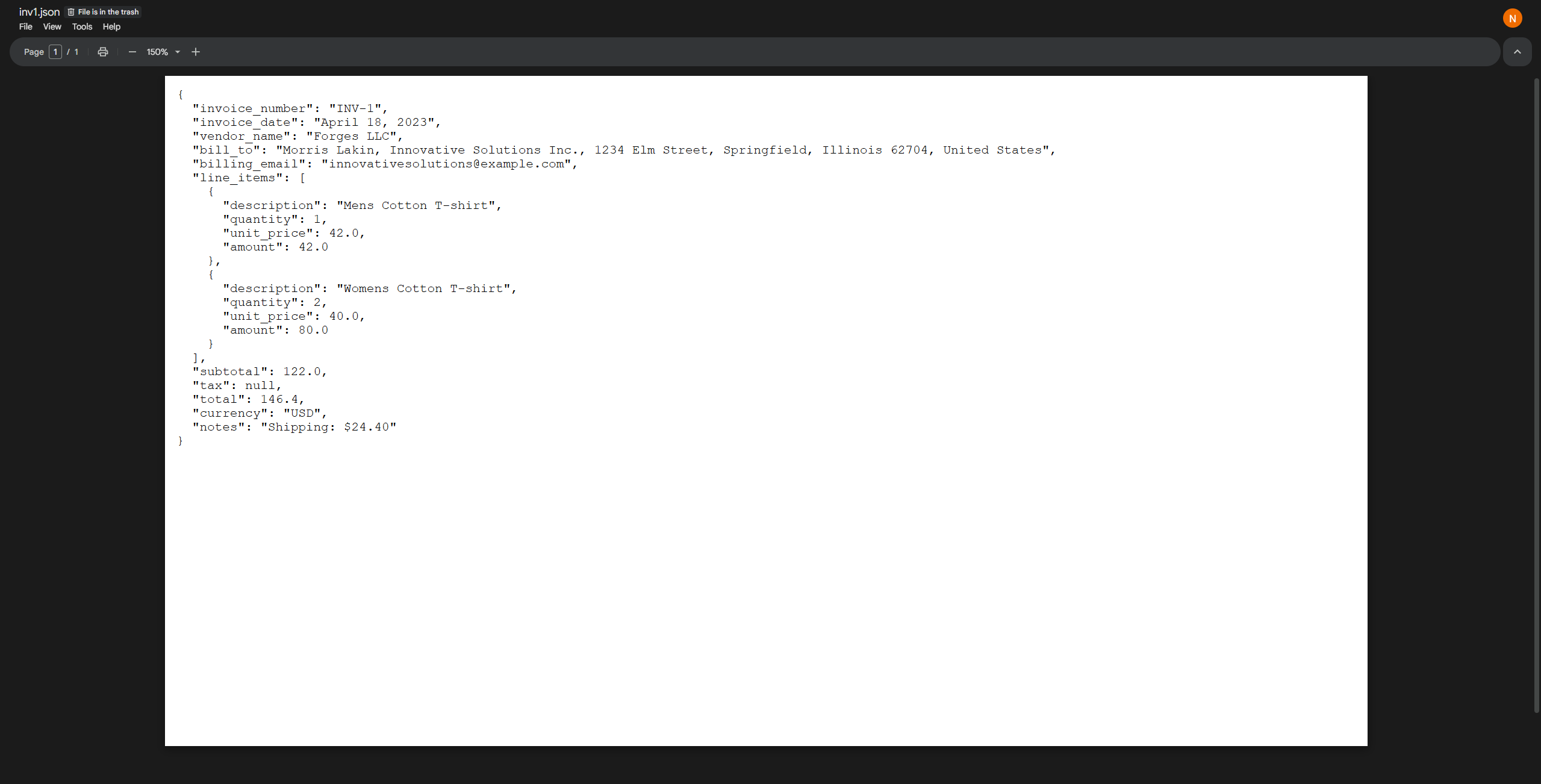
- Pull out vendor names, totals, line items.
- Save structured files.
- Track everything in a sheet.
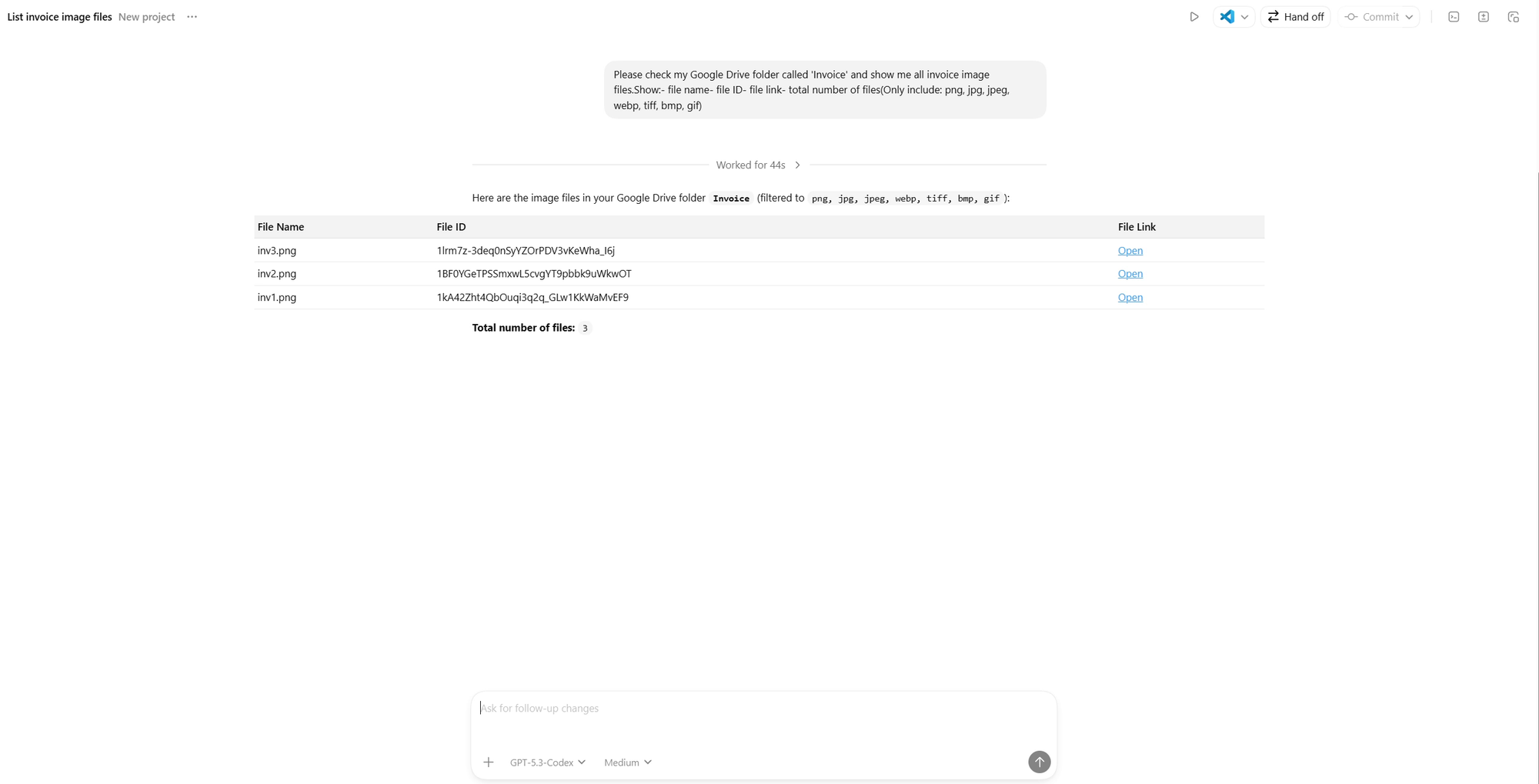
I expected it to either slow down or ask me a bunch of follow-ups.
It didn't.
It just ran it.
Each image got processed. Data pulled out. Files saved into a new folder. A sheet showed up tracking everything, including confidence scores.
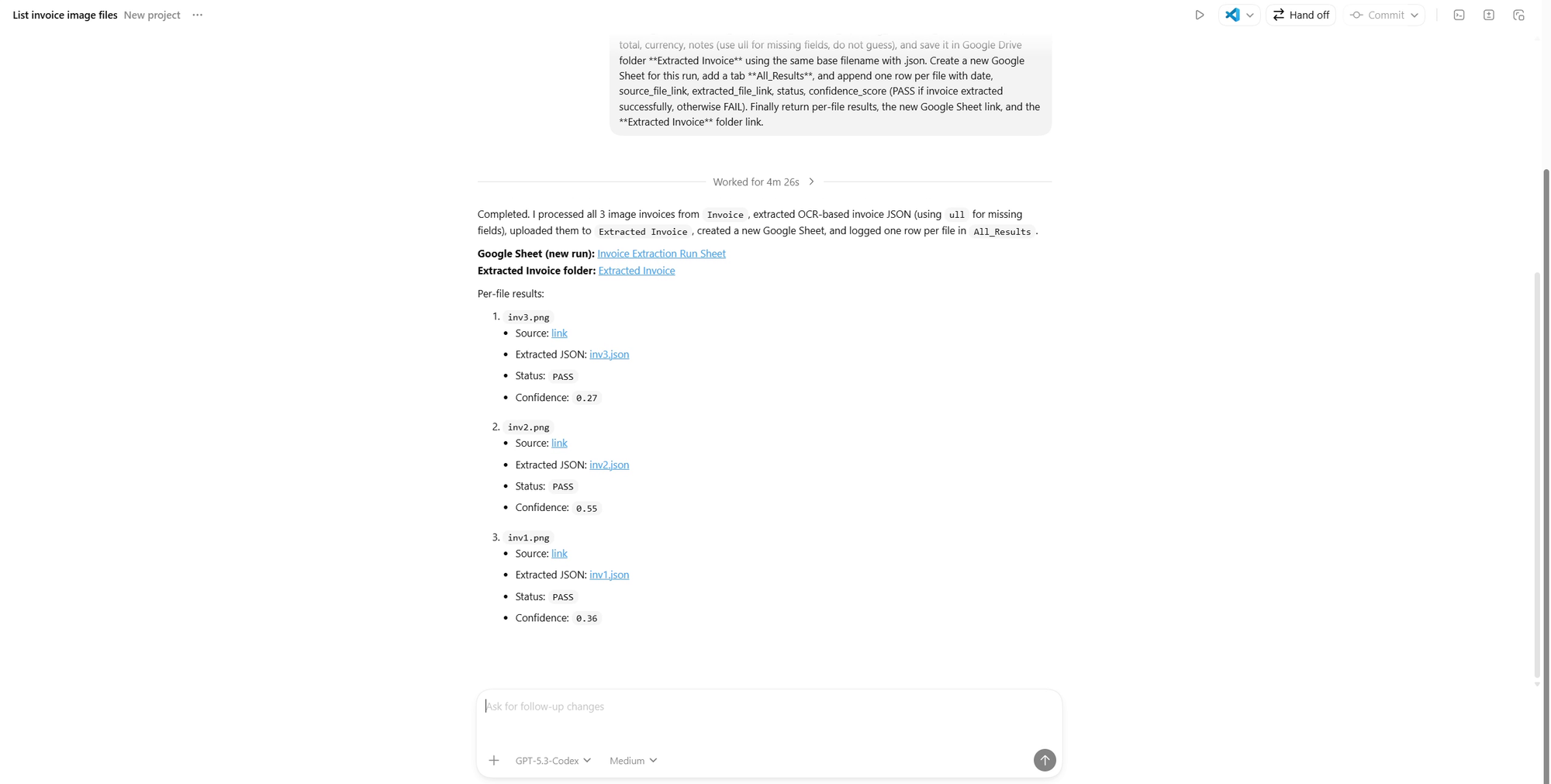
Then I got an email summary with links to everything.
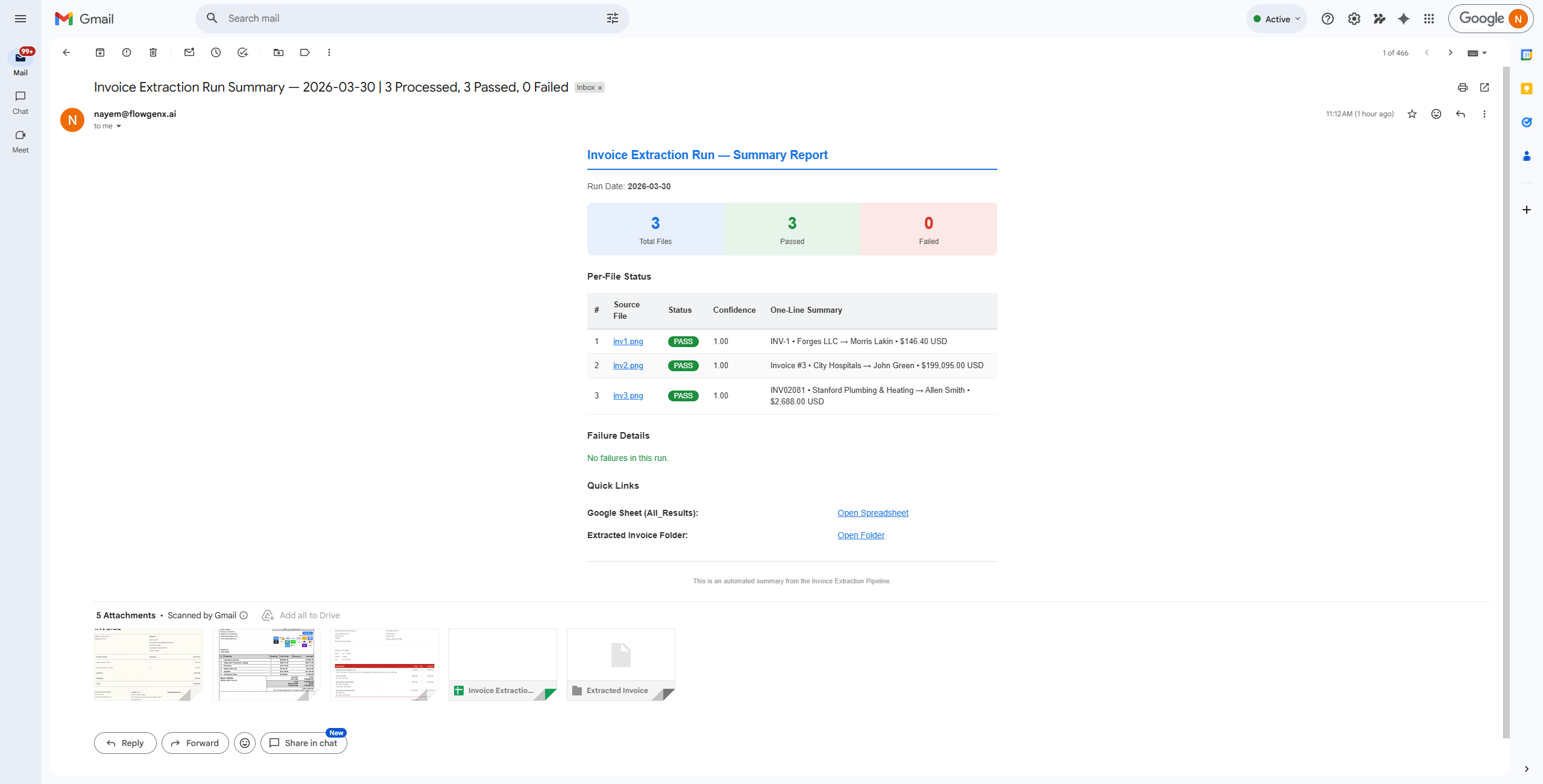
No back and forth between Apps. No interruptions.
That felt less like using a tool and more like handing something off.
Claude Code is where it got interesting
I saved this one for last.
Claude Code runs in the terminal. No UI, no visual feedback, just commands.
This is usually where things break, especially with multi-step workflows.
I tried something closer to how I actually work.
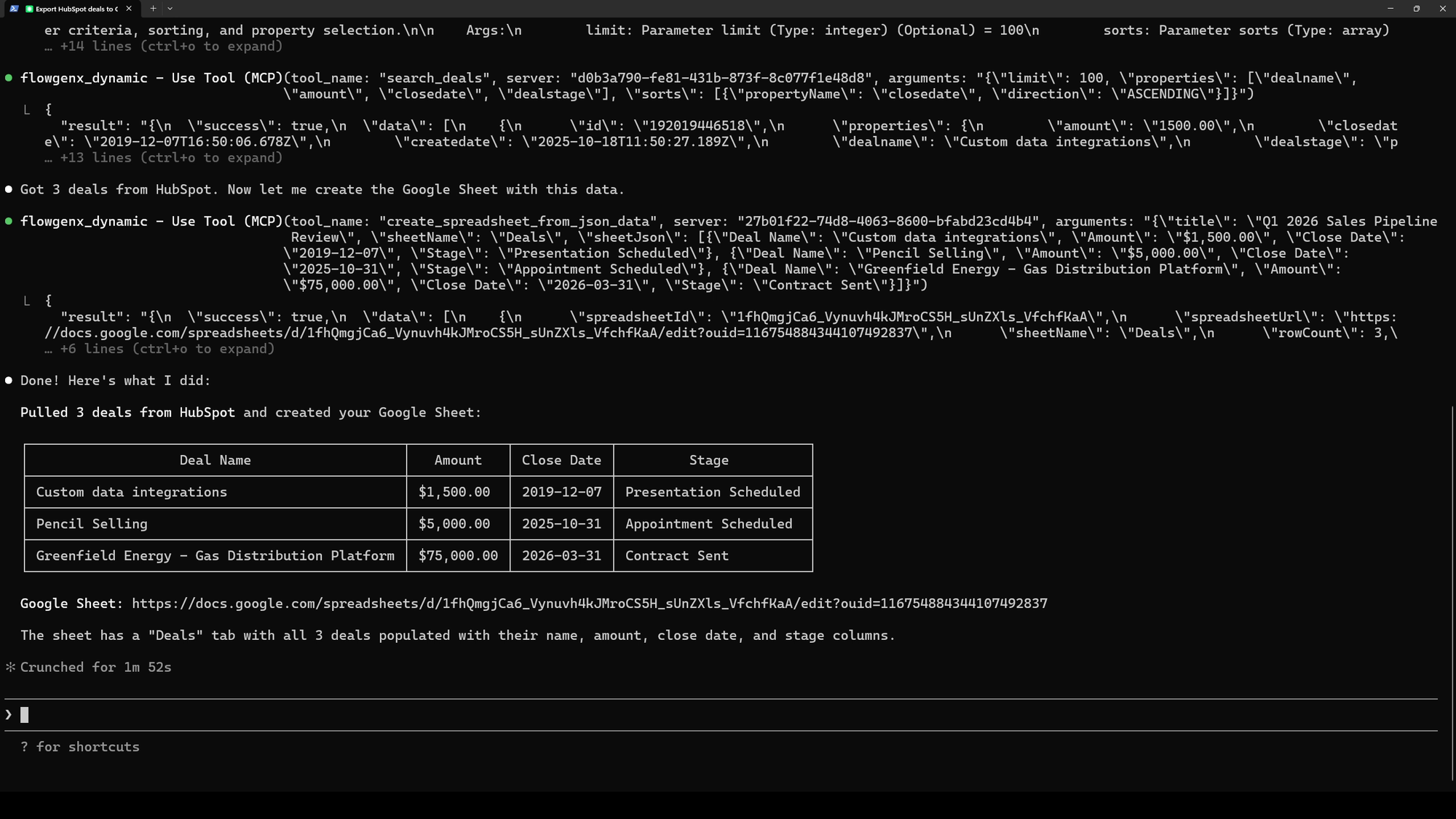
- Pull all deals from HubSpot.
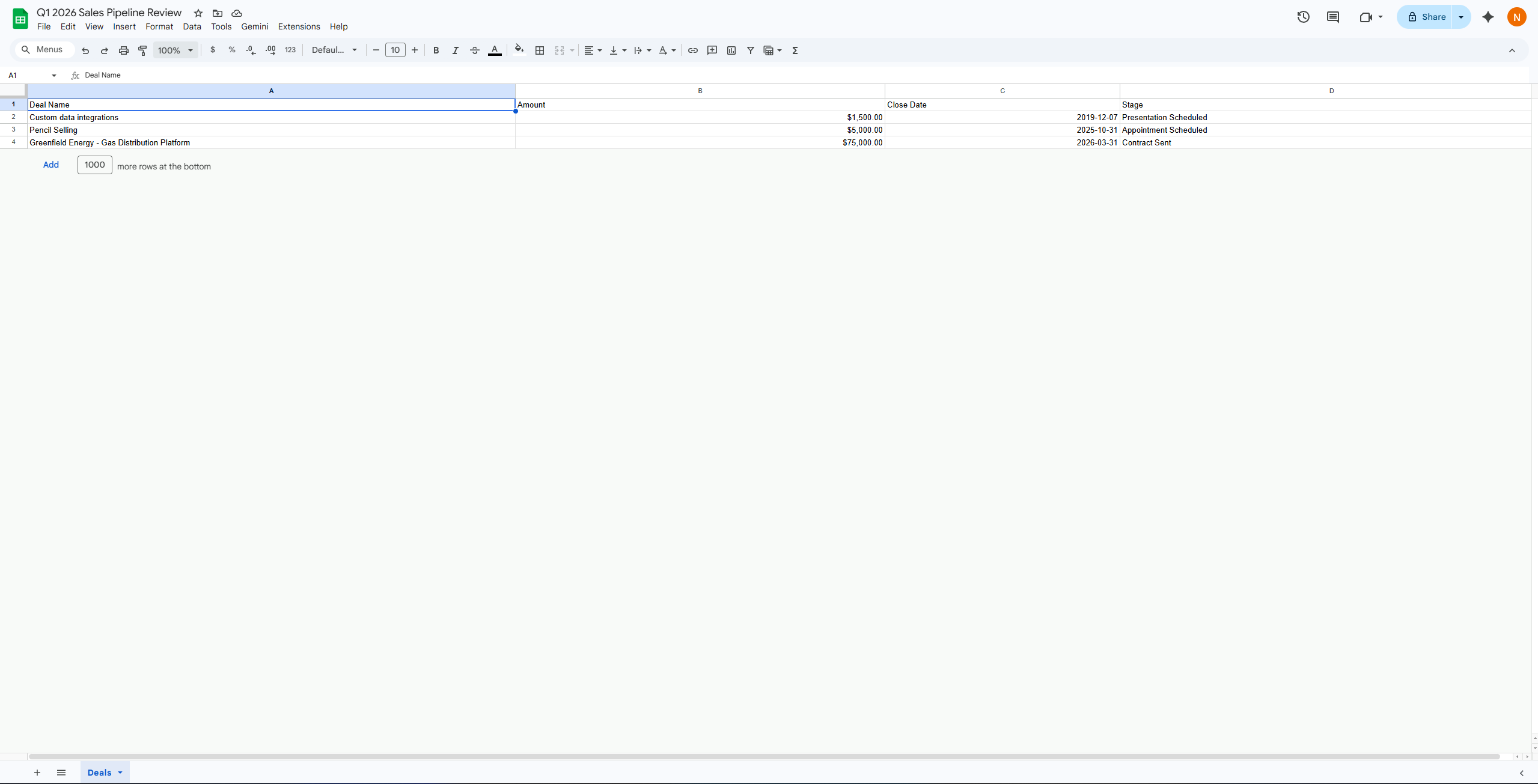
- Put them in a new sheet.
- Find the biggest one.
- Get the contact.
- Schedule a meeting.
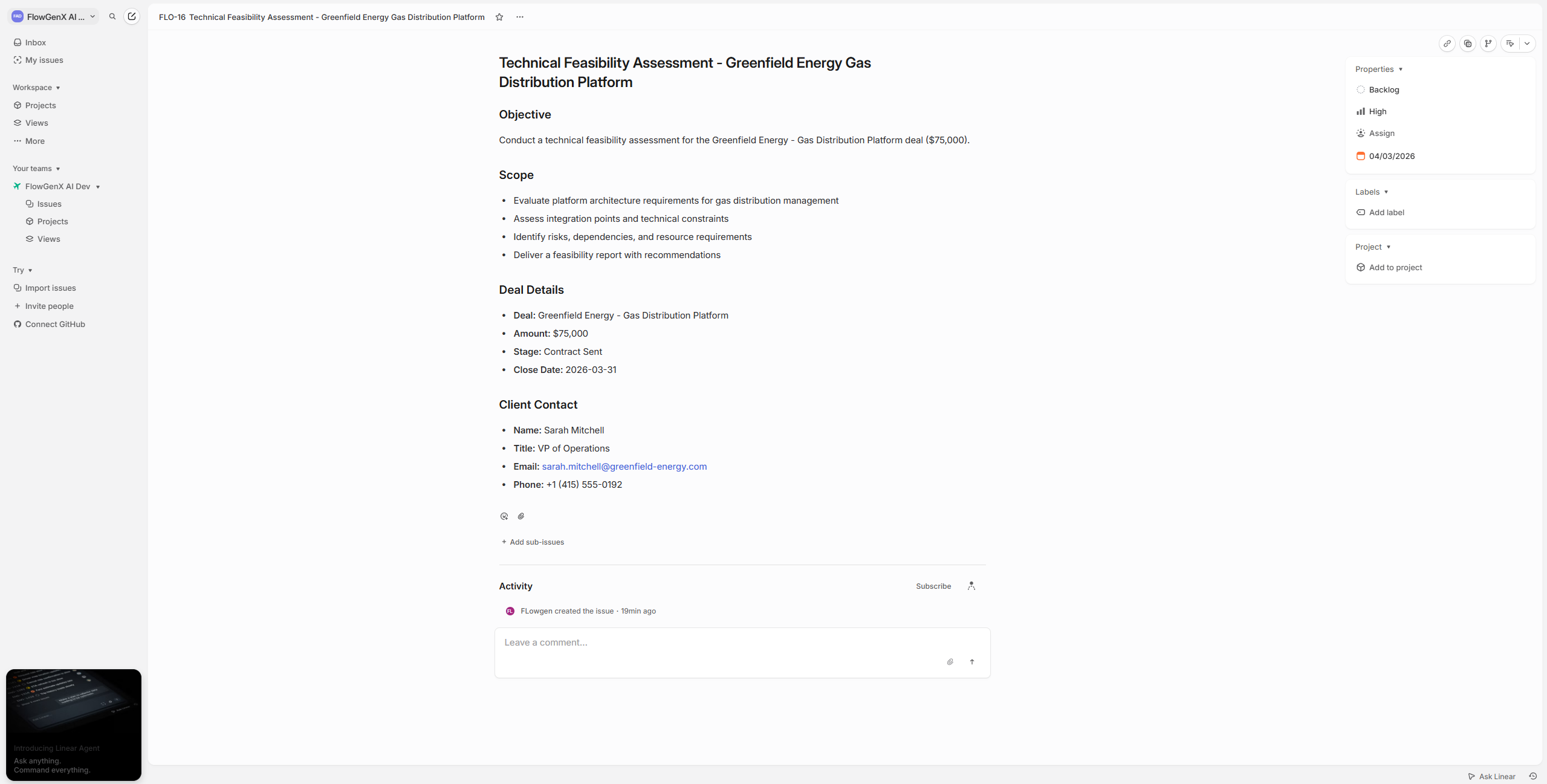
- Create tasks for the team.
- Send a follow-up email.
Each step depends on the one before it.
Normally this is where you end up re-explaining things or copying data between steps.
But it just kept going.
- Sheet created. ✅
- Deals listed. ✅
- Biggest deal picked. ✅
- Contact pulled. ✅
- Meeting scheduled. ✅
- Tasks created. ✅
- Email sent. ✅
The part that made me pause was the final email.
It referenced the meeting time. It mentioned the tasks. It included the deal details and the contact's name.
I never repeated any of that.
I didn't tell it to carry context forward. It just did.
That's usually the part that breaks.
Here it didn't.
What stood out after a few hours
I didn't switch tabs.
Not once.
I didn't open HubSpot in one window and Gmail in another and Calendar in a third. I didn't check if something worked before moving on.
Everything stayed in one place.
And the bigger thing I noticed later was this.
Most of my workday isn't actually work.
It's coordination.
Taking something from one tool and making sure it ends up in another. Repeating the same context in slightly different ways. Keeping everything in sync manually.
Once you stop doing that, the day feels different.
Final Thought
I'm not thinking of the above experience as another tool yet.
It feels more like removing a layer of work, that I failed to realize. If you want to organize your day to be productive and work on meaningful things and do them in a prioritized way. Try FlowGenX Work AI.
Talk to us:
Website: https://www.flowgenx.ai/platform/work-ai
How to get started: https://www.flowgenx.ai/get-started

Join the conversation with your LinkedIn or Google account